Set up a routine
A routine is a short list of clock times for one baby, such as a bottle at 09:00 or a nap at 13:30. Each baby has their own. Cozibud shows what's next, fills in the details when you log it, and ticks each time off for the whole household.
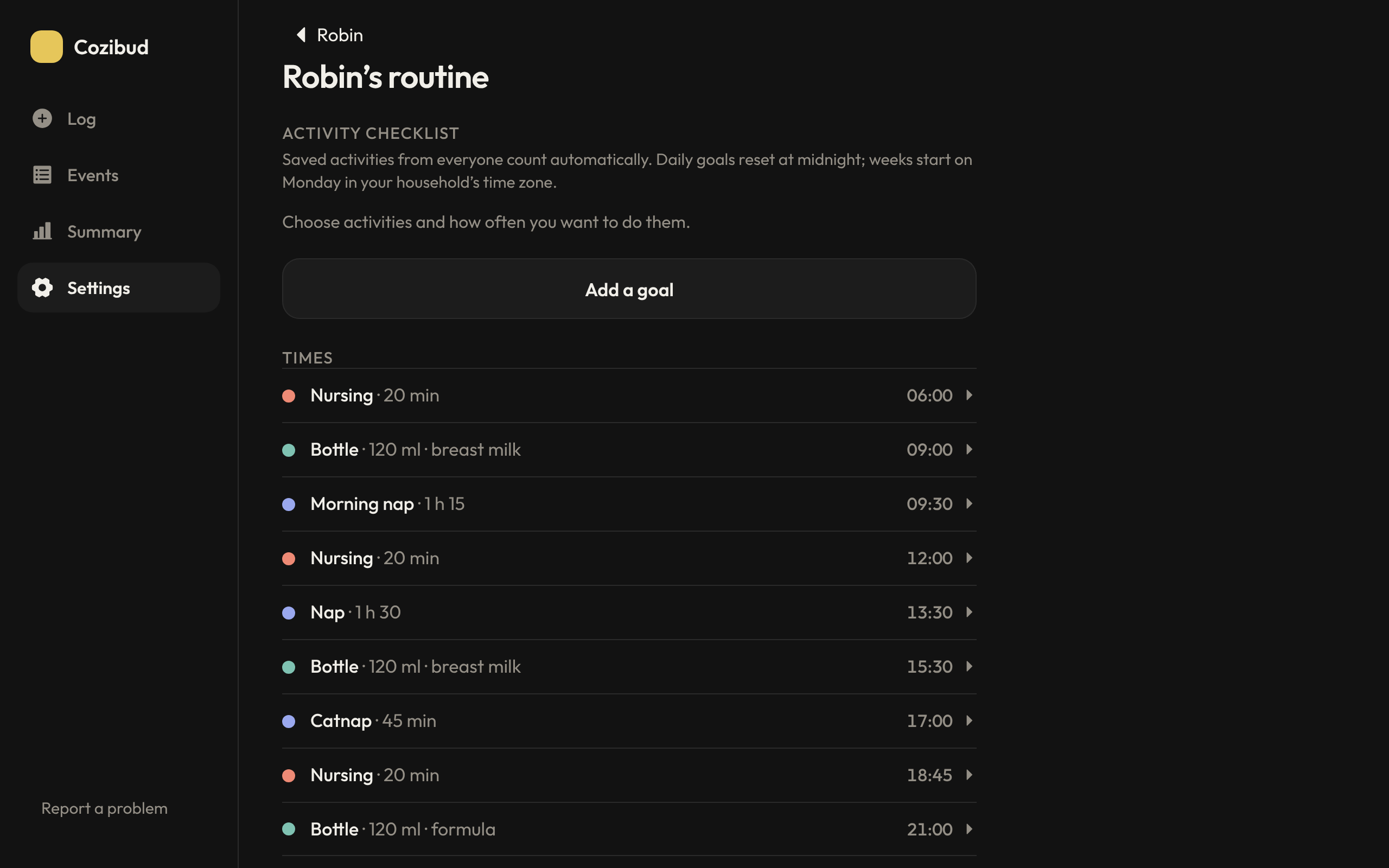
Add times
- Open Settings, tap the baby, then Routine.
- With no times yet, Cozibud suggests times from the last 7 days. Choose Use these times to start from them, or Start empty.
- Choose Add a time. Pick the activity (bottle, nursing, sleep, pump, nappy or solids), the time and the days it repeats. You can add a name such as Nap, an aim such as 120 ml or 1 h 30, and for bottles the milk type.
- Tap a time to change or delete it.
Use it through the day
- See what's next: Log shows the next time just below the baby's name, such as Nursing · 20 min, in 1 h 04, or due. Tap it to open the routine. The Events list starts with the next time and a Log button, and Day view shows upcoming times as dashed blocks.
- Log it: when a time is due or within the next hour, starting or saving that activity fills in the routine's aim and milk type. A running timer shows a bar towards its aim.
- It ticks itself off: logging the same activity near a routine time ticks it off for everyone, and the record shows a small check. To change which time a record counts for, open it and choose another time under Counts for, or Not part of the routine.
- Reminders: turn on Routine times in Settings → Preferences → Notification settings for a reminder at each time, unless someone has already logged it. On Android, Log on the reminder saves a bottle, nappy or solids, or starts the timer, without opening the app; Undo is offered afterwards, and In 15 min reminds you again later.
Activity goals
The Activity checklist at the top of the routine tracks daily or weekly goals, such as tummy time twice a day or for 10 minutes a day.
- Choose Add a goal, pick an activity and set a target in times or minutes. You can have both.
- Saved activities from every caregiver count automatically. Minute goals add up completed activities that have a start and end time.
- Tap a goal to change its target or remove it.
Daily goals reset at midnight in your household's time zone; weeks start on Monday. Ideas for play time shows unfinished play goals another caregiver could help with. These are your family's own goals, not developmental targets.
Related: Record care · Shifts and notifications