Care for Mother
Cozibud can keep a separate log for Mother: contractions before the birth, then mood, medication, water and recovery activity afterwards. Her records stay apart from the baby's, and you choose who can see them.
Set up Mother
- On Log, tap the name at the top to open the person picker.
- Choose Set up Mother. Decide whether to link her profile to your own account (if you are Mother) and enter her name.
- Choose Mother in the picker whenever you want to log for her. Choose a baby to switch back.
A parent can rename Mother or remove an unlinked profile from her Settings. A linked Mother manages her own profile.
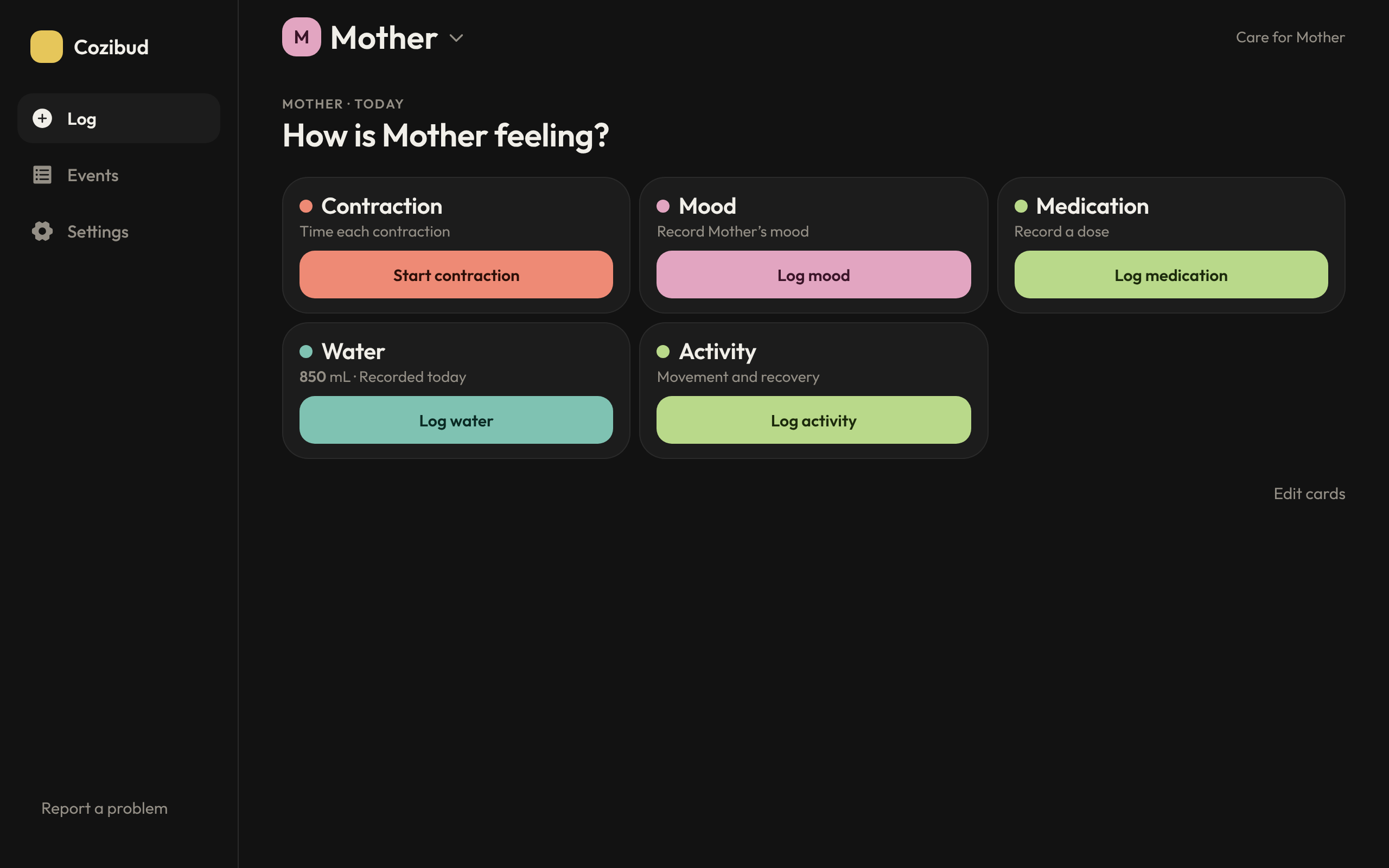
Log for Mother
- Contraction: tap Start contraction when one begins and stop it when it ends. You can mark it mild, moderate or intense. Cozibud shows its length, the time since the previous one began and how many there were in the last hour.
- Mood: choose how she's feeling and save.
- Medication: her recent medicines and doses are listed first. Choose one or more to log them together; each is saved as its own entry.
- Water: enter the amount in mL and save. The card shows today's total in your household's time zone.
- Activity: record postpartum yoga, pelvic floor exercises, walking or your own activity name, with optional minutes and notes.
After saving you stay on Log, with a confirmation. Open Events to review entries in List, Day or Week; tap one to correct or remove it.
Choose Mother's cards
Choose Edit cards on Mother's Log. Switch cards on or off and drag them into order, then return to Log. The choice is personal to your account and saved for each household on web and phone. Hiding a card keeps its entries in Events, and a running contraction stays visible until you finish it.
Who can see Mother's records
Parents choose, for each caregiver, whether they can see Mother as well as which babies. Do this in Settings → Caregivers → Edit (see Household roles). People without Mother access can't view or log her records.
The phone app needs a connection to load and save Mother's records. If a save can't be confirmed, check Events before trying again.